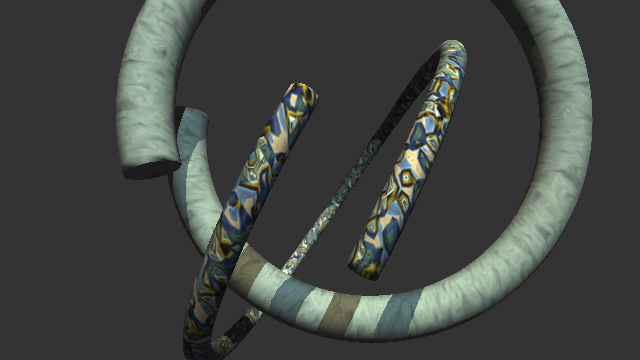
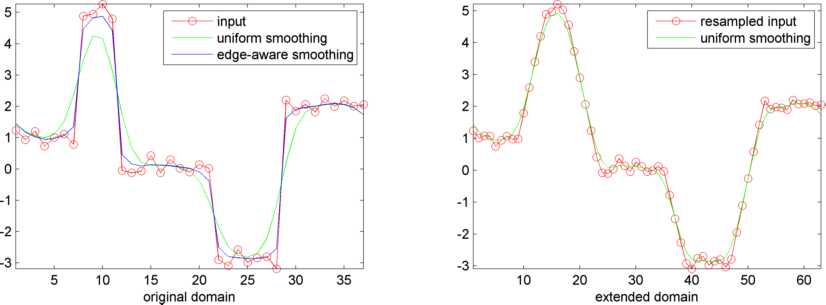
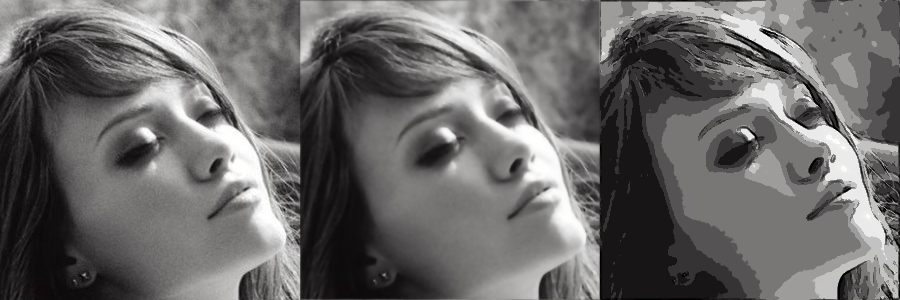
Raytraced pics with Deian Tabakov. Unfortunately, the code is lost. I made a new raytracer.
|
|
|
|
|
|
|
|
|
|
|
|
The woods are lovely, dark, and deep,
But I have promises to keep,
And miles to go before I sleep,
And miles to go before I sleep.
Robert Frost
The following work is inspired by the PhD thesis "Models of Animated Rivers for the Interactive Exploration of Landscapes" of Qizhi Yu.
When they tell you not to panic,
that's when you run!
John Cusack
An overview: From a map of shores, we construct a static flow in the space between the shores. This space is called river. Triangular patches textured with lava or water patterns are sampled in the river. The vertices of the patches undergo the flow individually. Over time the patches become vastly distorted and fade out. New undistorted patches are introduced in their place.
To derive a static flow for a given river network, we define a potential function that is constant on each single shore. The total flow between to shores will match the difference in the potential function evaluated on the two corresponding shores.


To derive the flow, we interpolate the potential function in the river using Shepard's formula with coefficient p=2. The formula requires a notion of (minimal) distance for a given point in the river and a shore. We obtain these distance functions by computing shortest paths from each shore to all points in the river. The paths are restricted to the river.


We denote by
the interpolation of the potential function in the domain of the river.
The point
lies in the river.
The flow is the vector field
defined by the numeric partial differentials
.
In general, the function
is not smooth, thus the partial differentials might be discontinous causing the flow to change direction abruptly.
However,
is divergence free to emulate incompressable fluid.
To create the visual effect of the flow, we equip planar triangular patches with a random piece of the texture. The texture of the patch fades out into transparency beyond a certain radius r around the center. Beyond a radius of 2r, the patch is transparent.

The verticies of a patch undergo the flow velocity individually. In general, the patch deforms. Since a patch starts consisting of equilateral triangles, we can measure the deformation simply by evaluating the edge lengths of the deformed patch.


To balance the visual appearance and computational load, we ensure that these patches remain separated by at least radius r, and yet are tighly packed. Our sampling algorithm follows the method Fast Poisson disk sampling in arbitrary dimensions by Robert Bridson.
The evolution of such a poisson disk sampling is shown in the animation aside. In case two patches have moved closer than 2r, the more deformed fades out (marked by a red dot) while the less deformed remains a Poisson disc sample (green). The removal of patches might leave a gap that is big enough to contain a new patch. The sampling algorithm detects these gaps and locates a new, undeformed patch at that point. The patch is made to slowly fade in to the environment.
| Texture Advection for Fluid Flow (Demo with source in C++) |
|
1.4 MB |
Correct blending requires that patches are drawn in the order that they were introduced. To yield appealing results, the texture spectrum and patch radius need to in tune.
L'avenir, tu n'as point à le prévoir mais à le permettre.
Antoine de Saint-Exupéry
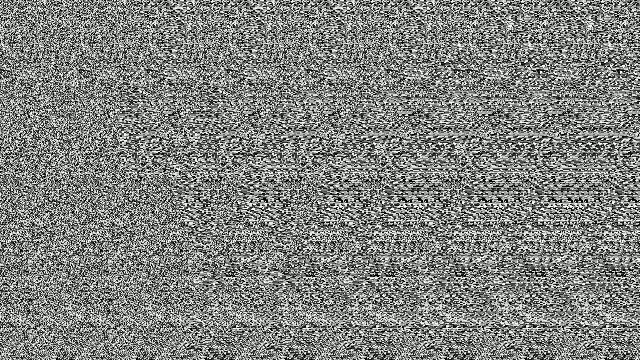
The algorithm is adapted from Real-Time Stereograms of the book 'GPU Gems'.
function bmp=stereogram(depth)
% creates greyscale single-image-stereogram of depth field
% depth (n,m)-matrix
% which has values in the interval [0,1]
% please scale depth so that an entry with value
% 0 is farthest
% 1 is closest
% the algorithm works best if
% m ranges between 480 and 1280
ofs=80;
sca=16;
bmp=repmat(uint8(rand(size(depth)+[0 ofs])*255),[1 1 3]);
for cy=1:size(depth,1)
acc=0;
for cx=1:size(depth,2)
inc=depth(cy,cx)*sca+acc;
res=floor(inc);
acc=inc-res;
bmp(cy,ofs+cx,:)=bmp(cy,cx+res,:);
end
end
bmp(:,1:ofs,:)=[];
imshow(bmp)
The use of random noise texture is suitable for animations.
If you have a problem,
and you can't solve it alone,
evoke it.
African proverb
This page contains PowerBASIC 2.1 programs, which generate fractals. The content was part of my first homepage. Since I had difficulties in gathering the sources, I want to contribute them yet.

FOR X=0 TO 2^6-1 FOR Y=0 TO 2^6-1-X IF (X AND Y) = 0 THEN PSET (X,Y) NEXT Y NEXT X

BOX 320,240,2^5-1 SUB BOX (X,Y,R) IF INT(R) <> 0 THEN BOX X+R,Y-R,R/2 BOX X-R,Y-R,R/2 BOX X+R,Y+R,R/2 BOX X-R,Y+R,R/2 LINE (X-R,Y-R)-(X+R,Y+R),,B END IF END SUB

PSET (320,0) LIN 320,0,32 SUB LIN (X,Y,R) IF INT(R) > 0 THEN LINE -(X,Y) LIN X+R,Y+R,R/2 PSET (X,Y) LIN X-R,Y+R,R/2 END IF END SUB

SHARED pi,x,y,a : pi=3.141592654 PSET (x,y) STAR 4 SUB STAR (l?) IF l? > 0 THEN DRW 0 : STAR l?-1 DRW pi/3 : STAR l?-1 DRW -pi*2/3 : STAR l?-1 DRW pi/3 : STAR l?-1 END IF END SUB SUB drw (aq) IF aq THEN INCR a,aq INCR x,COS(a)*3 INCR y,SIN(a)*3 LINE -(x,y) END IF END SUB

FOR I=-1.3 TO 1.3 STEP .01 FOR R=-2.2 TO 1 STEP .01 c=0 : b=0 : a=0 : count%=0 WHILE ABS(a)<=2 AND ABS(b)<=2 AND count%<128 c=a*a-b*b+R b=2*a*b+I a=c INCR count% WEND PSET (230+R*100,140+I*100),count% NEXT R NEXT IWeitere Iterationsformeln für z^3, z^4, z^5 jeweils +(r,i):
a2=a*a b2=b*b c=a2*a-3*a*b2+r b=3*b*a2-b2*b+i a=c a2=a*a b2=b*b ab=a*b c=a2*a2-6*a2*b2+b2*b2+r b=4*(a2*ab-b2*ab)+i a=c a2=a*a b2=b*b a3=a2*a b3=b2*b c=a2*a3-10*a3*b2+5*b2*b2*a+r b=5*a2*a2*b-10*b3*a2+b2*b3+i a=c

xc=-1 : yc=0 xn=.25 : yn=0 FOR i=1 to 10000 a=xn-xc : b=yn-yc IF a>0 THEN xn=SQR((SQR(a*a+b*b)+a)/2) yn=b/(2*xn) ELSE IF a<0 THEN yn=SQR((SQR(a*a+b*b)-a)/2) IF b<0 THEN yn=-yn : xn=b/(2*yn) ELSE xn=SQR(ABS(b)/2) IF xn>0 THEN yn=b/(2*xn) ELSE yn=0 END IF END IF IF i=1 THEN INCR xn,.5 IF RND>.5 THEN xn=-xn : yn=-yn PSET (160+xn*80,100-yn*80) NEXT i

cr=-.1 ci=-1 FOR I=-2 TO 2 STEP 5/600 col%=0 FOR R=-2 TO 2 STEP 5/800 c=0 : b=I : a=R : count%=0 WHILE ABS(a)<=2 AND ABS(b)<=2 AND count%<20 c=a*a-b*b+cr b=2*a*b +ci a=c INCR count%,1 WEND if count%<16 then pset (col%,row%),count% INCR col% NEXT R INCR row% NEXT I

dim a(3,6) a(1,1)=.5 : a(1,4)=.5 : a(2,1)=.5 : a(2,4)=.5 : a(2,5)=.5 a(3,1)=.5 : a(3,4)=.5 : a(3,5)=.25 : a(3,6)=.43 for i=0 to 10000 n=int(rnd*3)+1 t=a(n,1)*x + a(n,3)*y + a(n,5) y=a(n,2)*x + a(n,4)*y + a(n,6) x=t pset (x*400,y*400),8 next i

x=200
y=0
FOR i=1 TO 10000
z=RND
IF z<.02 THEN
xn=200
yn=.27*y
ELSE
IF z<.17 THEN
xn=-.139*x+.263*y+228
yn=.246*x+.224*y+14.4
ELSE
IF z<.3 THEN
xn=.17*x-.215*y+163.2
yn=.222*x+.176*y+35.72
ELSE
xn=.781*x+.034*y+43
yn=-.032*x+.739*y+108
END IF
END IF
END IF
PSET(xn-100,400-yn)
x=xn
y=yn
NEXT i


Dieses Programm ist eine Implementation eines baumähnlichen Fraktals mittels eines iterierten Funktionensystems. Das Programm erzeugt eine s/w Abbildung, die dem nebenstehendenden Bild nur in etwa entspricht.
s = 6 w = 480 xr(s) = w xo(s) = 0.5 * w yo(s) = w a(1) = 0.195 : a(2) = 0.462 : a(3) = -0.058 : a(4) = -0.035 : a(5) = -0.637 b(1) = -0.488 : b(2) = 0.414 : b(3) = -0.07 : b(4) = 0.07 : b(5) = 0 c(1) = 0.344 : c(2) = -0.252 : c(3) = 0.453 : c(4) = -0.469 : c(5) = 0 d(1) = 0.443 : d(2) = 0.361 : d(3) = -0.111 : d(4) = -0.022 : d(5) = 0.501 e(1) = 0.4431: e(2) = 0.2511: e(3) = 0.5976: e(4) = 0.4884: e(5) = 0.8562 f(1) = 0.2452: f(2) = 0.5692: f(3) = 0.0969: f(4) = 0.5069: f(5) = 0.2513 For x = 1 To 5 : e(x) = e(x) * w : f(x) = f(x) * w : Next x GoSub 2 End 1: xl(s) = a(i) * xl(s + 1) + b(i) * yl(s + 1) + e(i) yl(s) = c(i) * xl(s + 1) + d(i) * yl(s + 1) + f(i) xr(s) = a(i) * xr(s + 1) + b(i) * yr(s + 1) + e(i) yr(s) = c(i) * xr(s + 1) + d(i) * yr(s + 1) + f(i) xo(s) = a(i) * xo(s + 1) + b(i) * yo(s + 1) + e(i) yo(s) = c(i) * xo(s + 1) + d(i) * yo(s + 1) + f(i) 2: If s > 1 Then GoTo 3 Line (xl(1), w - yl(1) + 1)-(xr(1), w - yr(1) + 1) Line (xr(1), w - yr(1) + 1)-(xo(1), w - yo(1) + 1) Line (xo(1), w - yo(1) + 1)-(xl(1), w - yl(1) + 1) Return 3: decr s i = 1 : GoSub 1 i = 2 : GoSub 1 i = 3 : GoSub 1 i = 4 : GoSub 1 i = 5 : GoSub 1 incr s Return
Furthermore, in investigating: Is "IFS1=IFS2" decidable?, we were able to obtain the following result.
Die Natur will, daß die Kinder Kinder seien,
ehe sie Erwachsene werden.
Jean-Jacques Rousseau